The Real Challenges of Ansible Upgrades — And How Top Teams Solve Them
April 23, 2026 - Words by The Spotter Team - 5 min read
Upgrading your Ansible environment is not something you can postpone indefinitely. Eventually, outdated playbooks slow you down. Imagine trying to manually review 2,300 playbooks before a migration deadline. That’s the reality for most enterprise Ansible teams — and most of them have no tooling in place to make it manageable.
Why Ansible upgrades are harder than they look
Enterprise Ansible environments are rarely tidy. When migrating from Tower or AWX to the Ansible Automation Platform (AAP), teams run into a set of compounding challenges:
Outdated and inconsistent playbooks. Years of growth mean playbooks written at different times, by different people, following different conventions. Syntax, structure, and patterns vary wildly across the same environment.
Multiple owners, multiple teams. Playbooks are rarely owned by a single team. When contributors are spread across geographies and departments, coordinating a consistent upgrade becomes a project in itself.
Strict compliance rules. Compliance requirements add a layer of complexity that can block the entire migration: which collections are approved, which are not, and how do you ensure every team follows the same rules?
Hidden dependency problems. Moving to newer Ansible versions means modules that used to be built-in now live in collections — and tracking down which collection each module, plugin, and filter belongs to across thousands of playbooks is a project in itself.
The risks of not upgrading
Some teams delay upgrades assuming it’s safer to leave working automation alone. In reality, doing nothing compounds the problem:
Outdated Ansible versions lead to extended timelines and resource strain. The longer the gap between your current version and your target, the more changes need to be made in a single migration - and the harder it becomes.
Suboptimal or partial migrations. Manual refactoring and testing leave room for human error and oversight. The result is often an environment that’s technically on a newer platform but still carrying inconsistencies and latent issues.
Opportunity costs. Delays in adopting AAP slow down the automation initiatives that drive real business value — new use cases, improved compliance posture, faster deployments.
No single point of accountability. When migration is handled in-house across multiple teams with no unified tooling, lines of responsibility blur and things fall through the cracks.
Limited expertise and best practices. A successful migration requires deep, up-to-date knowledge of Ansible - which collections are certified, how module behaviors have changed, what the current best practices are for AAP. That expertise is rarely evenly distributed across the teams who own the playbooks.
The classic approach - and its limits
The traditional manual upgrade follows a familiar sequence. It starts with an inventory and audit of all AWX and Tower content — playbooks, roles, tasks, variables — alongside mapping dependencies, version constraints, and custom integrations. From there comes gap analysis and planning: documenting the required changes to directory structure, variable formats, and role references.
Then the real work begins. Refactoring and updating means manually adjusting every playbook to align with AAP best practices — resolving deprecations, removing hardcoded values, and standardizing naming conventions throughout. Each updated playbook then needs to go through testing and validation in a staging environment, checking for both functionality and compliance.
Once changes are verified, the work isn’t over. Documentation and knowledge transfer require maintaining thorough records of what was changed and why, then distributing updated guidelines and best practices to every team involved in development. Finally, deployment and monitoring: rolling out migrated content in phases to minimize disruption, while keeping a close eye on logs and execution to catch any regressions.
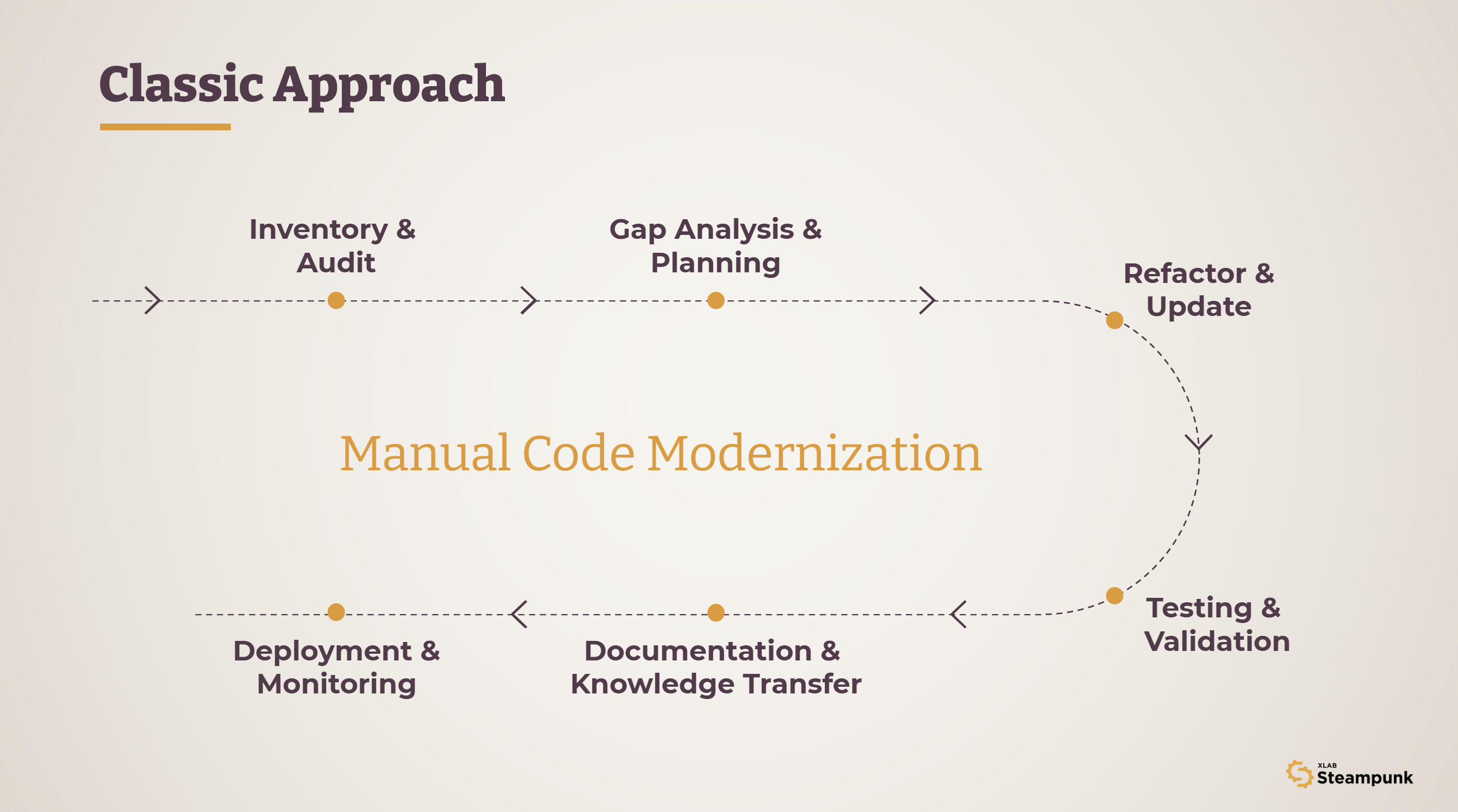
Each step is necessary. But at enterprise scale, the process is slow, expensive, and carries significant risk at every stage. It requires deep Ansible expertise across every team involved — and even then, consistency is hard to guarantee.
Automate the upgrade and migration process
Top-performing Ansible teams have figured out how to automate the upgrade and migration process itself. The goal isn’t to hire more Ansible experts or pull them from other projects. It’s to empower any technical person to write and update playbooks confidently, with the right tooling doing the heavy lifting.
One of the world’s largest financial institutions did exactly this. Facing thousands of legacy playbooks, hundreds of contributors, and a highly regulated environment, they used an automated approach with Steampunk Spotter to migrate their entire Ansible environment to AAP 2.4 and Ansible 2.15.Spotter scanned all 2,300 playbooks, automatically flagged incompatibilities, and generated targeted refactoring suggestions — turning a years-long manual effort into a three-month automated sprint, with 17,000+ hours saved and a 413% ROI.
For the full story, including how the migration was structured and what made the difference, read the customer case study.
A practical framework for large-scale Ansible upgrades
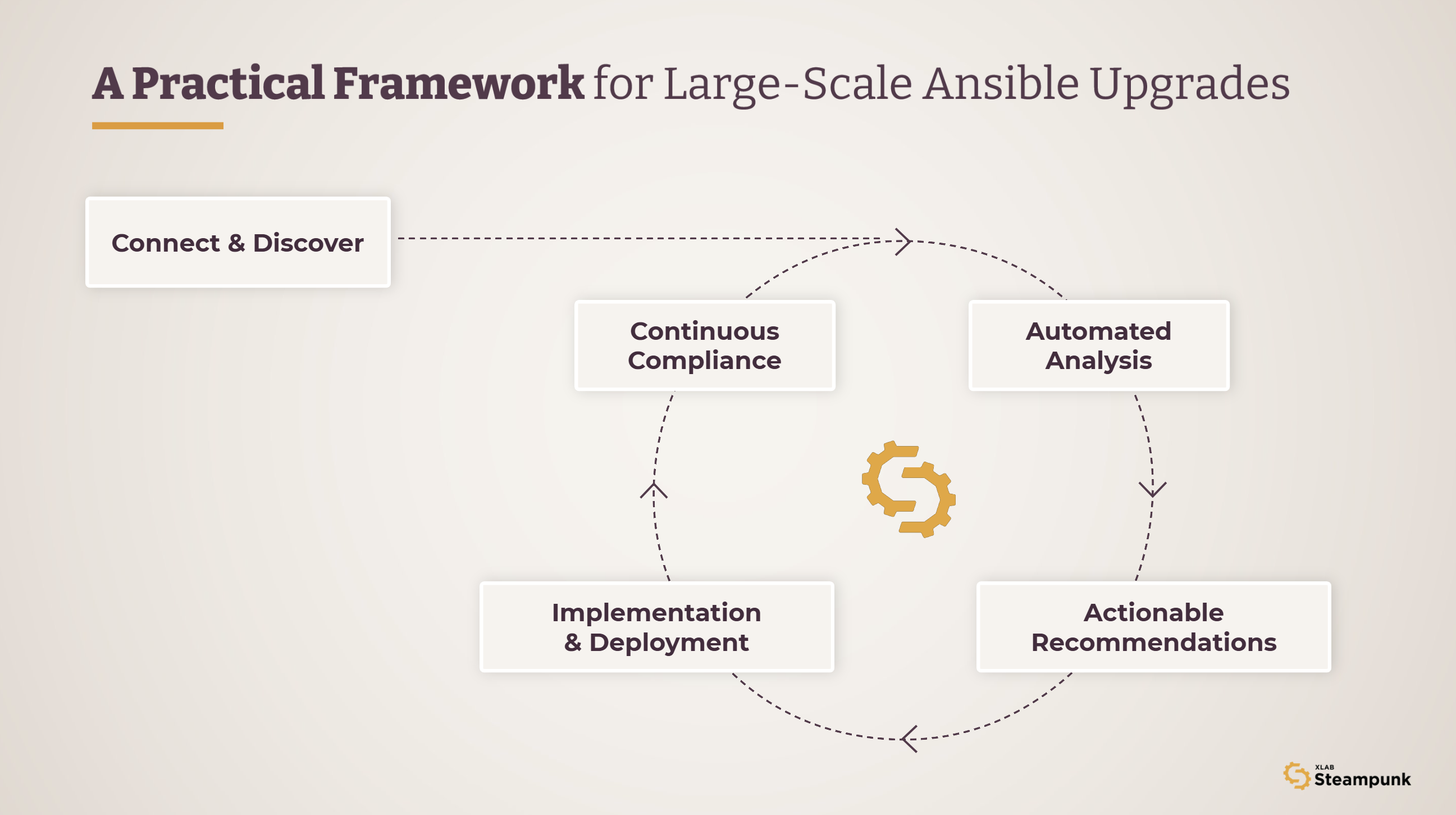
Whether you’re starting from scratch or picking up a stalled migration, the same framework applies. Tools like Steampunk Spotter – an Ansible Playbook Platform used by Fortune 100 companies – make this process systematic and automated.
1. Connect and discover. Integrate Spotter with your existing AWX, AAP, or code repository. Inventory all automation content - playbooks, roles, collections - to establish a clear baseline and understand the scope of what needs to change.
2. Automated analysis. Scan playbooks for outdated patterns, security vulnerabilities, and deviations from best practices. Prioritize findings by severity - security gaps first, then consistency issues.
3. Actionable recommendations. For each issue found, Spotter generates specific refactoring suggestions — proposed resolutions, code snippets, and best practice guidance tailored to your compliance requirements. Some fixes can be applied automatically with a single rewrite command; others are flagged for manual review with the context needed to make the right call.
4. Collaborative remediation. Review automated fixes as a team and integrate Spotter suggestions into your version control or CI/CD pipeline. Validate updates in staging before promoting to production.
5. Implementation and deployment. Apply the updated playbooks to AAP and monitor execution logs to verify that identified issues are resolved.
6. Continuous compliance. Schedule recurring scans so new vulnerabilities and drift don’t accumulate again. Standards evolve - your automation should keep pace.
For a deeper walkthrough of the entire upgrade and migration process, check out our complete guide.
Where to start
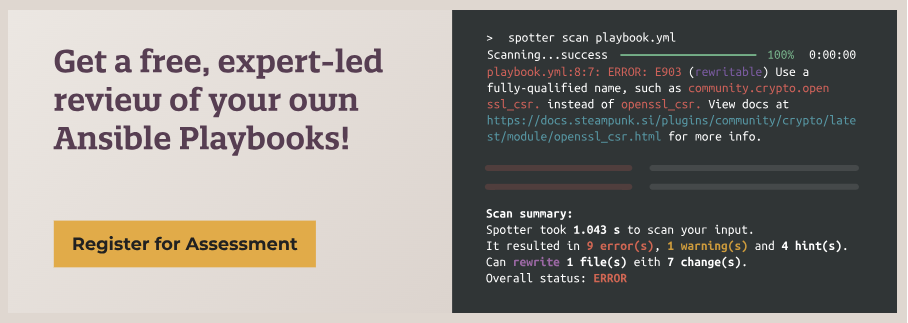
The first step doesn’t have to be a full migration project. Our free Ansible Playbook Assessment gives you a clear picture of where your automation code stands today — what’s broken, what’s at risk, and what can be fixed automatically versus what needs expert attention. Spotter runs entirely on your infrastructure, so no data leaves your premises.
From there, you have the data to make an informed decision about how to proceed — and a much stronger case that “wait and see” is not the safe option.